Business Security Camera Systems
Business security cameras that cover what matters, with footage you can find.
A camera on the wall is only useful if it captures the right area and you can find the recording. Plan coverage, storage and secure access around your workplace.
Plan the view. Plan the recording.Concept illustration
Business security camera systems combine cameras, recording and controlled access to video. Cyber Shift Technologies helps Northeast Ohio businesses plan and install indoor and outdoor camera systems, including network video recorders and remote viewing. Start with the areas you need to see, the detail you need to capture and how recordings will be used.
The Business Problem
More cameras do not always mean better answers.
Start with the situations you need the system to handle.
A blind spot becomes a missing answer
The entrance is visible, but the loading area is not. Start with the events you need to understand, then plan the camera position, lighting and viewing angle.
The recording is difficult to find
A system can have plenty of cameras and still make reviewing an event frustrating. Recording settings, retention and staff access need a plan of their own.
Remote viewing creates another unmanaged account
The right people need footage without sharing one password across the business. Consider account ownership, permissions and the network that connects your cameras.
From Coverage to Playback
A camera plan built around your building.
Discuss these decisions before choosing a camera count or buying another recorder.
Coverage and image detail
Review entrances, shared areas, loading zones and outdoor spaces. Match camera placement and lighting to the detail you need, such as an overview of activity or a clearer view of a particular doorway.
Recording and retention
Discuss local network video recorders, cloud options and how long footage needs to remain available. Camera count, image settings and recording schedules affect storage and bandwidth. Retention needs should be agreed before equipment is selected.
Secure viewing and useful playback
Identify who can view live video, search recordings and export clips. Review remote access, individual accounts and the process for changing permissions when responsibilities change. Demonstrate the review tasks your staff actually need.
Installation and ongoing care
Plan mounting locations, cabling, network connections and work around access to the building. Agree the handover, update responsibilities and support scope so the system remains understandable after installation. Depending on the job, we install the cameras ourselves or work with an installation partner.
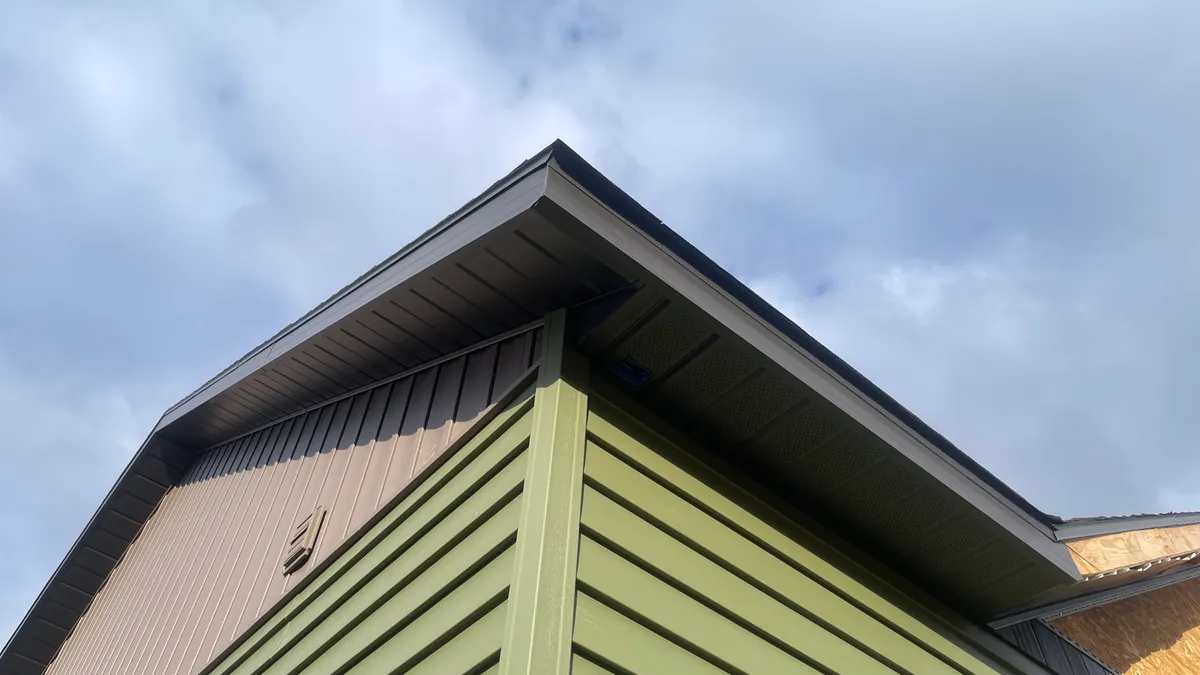
The right view starts with placement.
Mounting height, lighting and the area you need to see all shape the camera plan. We walk through those choices with you before choosing equipment.
Choose the Right Starting Point
A new system is not always the first step.
Bring what you know about the current setup. We can discuss what needs a closer look.
Review an existing system
Share the camera and recorder models, troublesome areas and examples of missing or unclear footage. Compatibility and condition determine what can be retained.
Plan a new space
Use a floor plan and a walkthrough to discuss entrances, lighting, cable routes and recording needs before installation work is scheduled.
Connect cameras and door access
Discuss whether entry events and relevant video should be reviewed together. The available integration depends on the systems chosen and the project scope.
Clear Expectations
Recording is different from someone watching.
Decide who reviews alerts and what happens when an event needs attention.
A camera system can record around the clock without anyone actively watching it. This service does not include live monitoring, alarm dispatch or emergency response. Agree who reviews video and alerts, who maintains the system and how concerns are escalated.
Your Local Team
Real people behind the installation conversation.
North Canton is home. Your building is where the plan starts.
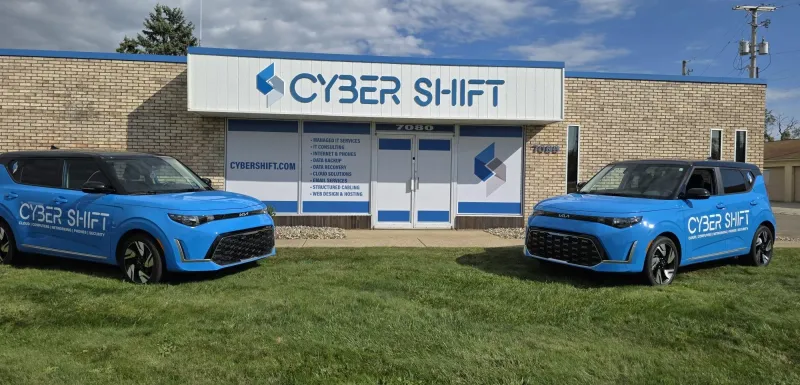
Cyber Shift Technologies is based in North Canton, serving businesses across Northeast Ohio. Share your site location, existing equipment and the areas that matter most so our team can discuss a practical next step.
For projects with several locations, discuss site access, travel and the support arrangement before work is scheduled. A customer location on our map is not a branch office or a promise of onsite coverage.
Connected Services
Plan the systems around it, too.
Explore the work that connects your building, people and technology.
Business Door Access Control
Plan business door access around people, permissions and daily operations. Discuss credentials, existing doors and project scope with Cyber Shift.
Structured Cabling & Security Solutions
Structured cabling and security camera systems for Northeast Ohio businesses. Local design, install, and support from Cyber Shift Technologies.
Business Networking and Wi-Fi
Business Wi-Fi and network equipment chosen, installed and configured by Cyber Shift Technologies: routers, switches, firewalls and access points.
Before You Start
Business Security Camera Systems: your questions answered.
Practical answers before you choose your next step.
Can you work with our existing security cameras?
Start with the camera models, recorder or video software, account access and the problems you want to solve. Compatibility, condition and support status determine what can be retained. We can discuss the existing setup before recommending a project scope; this is not a promise that every camera or recorder will integrate.
How long should our business keep camera recordings?
There is no single retention period that fits every business. Consider why you record, how quickly incidents are reported and any requirements your organization needs to follow. Then size storage around camera count, image settings and recording schedules. Confirm the actual retention behavior during system handover rather than assuming a capacity figure guarantees it.
Can we view security cameras remotely?
Remote viewing is available on many systems, but the method depends on the equipment, software and network. Plan individual accounts, appropriate permissions and additional sign-in protection where supported. Discuss who needs live viewing versus recording access, and who will remove access when an employee or outside provider no longer needs it.
What affects the cost of a business camera system?
Camera count is only one factor. Coverage goals, mounting height, lighting, cabling, recording capacity, licenses and existing equipment all affect the project. Share a floor plan, the areas you need to see and your current setup so the conversation can cover installation costs as well as ongoing storage, software and support.
LET'S MAKE ROOM FOR WHAT'S NEXT
Let’s look at the gaps in your camera coverage.
Tell our team about your building, current system and the footage you wish you could find. We’ll discuss the next step.
Book a 30-Minute CallStart with the IT checklistA USEFUL FIRST CONVERSATION

Talk with our team
330-353-8420Reviewed by John Wheeler, President / Founder